Mobile CRM for sales teams on Android
Your leads, calls and follow-ups on the phone your team already carries.


- Used by sales teams in India, the UAE, Singapore, Australia and Brazil
- Free plan
- No card needed
- Live the same day
Who's calling, how it went, what's next
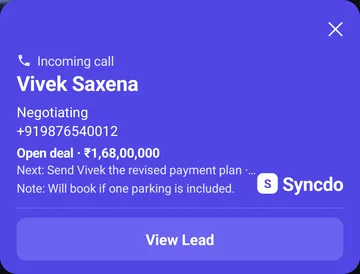
01A lead calls: name, stage and last note, before you answer.
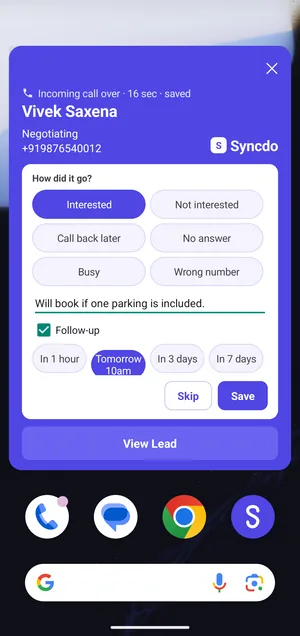
02The call ends: pick the outcome, add a note, set the follow-up.
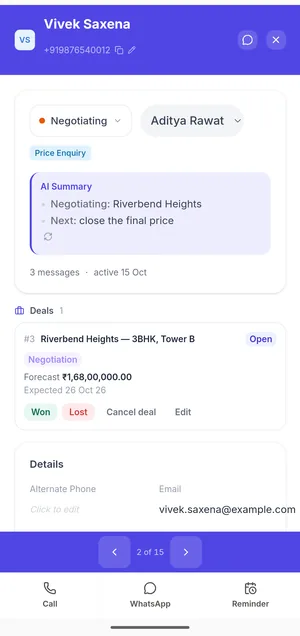
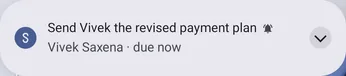
03The follow-up rings at its time and opens the lead.


01A lead calls: name, stage and last note, before you answer.
02The call ends: pick the outcome, add a note, set the follow-up.
03The follow-up rings at its time and opens the lead.
What the app does
Caller ID for leads
Name, stage and last note before you answer.

Rapid Dialer
Tap to call, then the next lead. No number to type.
After-call card
Outcome, note and next follow-up before the next call.
Calls logged by themselves
Every call with a lead, on the SIM you choose.

Reminders that ring
Even offline: the app sets them when it syncs. Paid plans.
WhatsApp templates
Pick one on the lead. Their name is already in it.
Live the same day
- 01
Install Syncdo from Google Play.
- 02
Pick the work SIM. Personal calls stay off.
- 03
Call as usual. Each call with a lead logs itself.
- 04
Follow up from the reminder, with a WhatsApp template ready.
Personal calls stay personal
- Only calls with your leads are logged.
- A SIM set to Off is never read.
- No calling account, no new number, nothing on your bill.

Questions, answered
What is a mobile CRM?
It puts your leads, follow-ups and notes on your phone. Syncdo also logs calls with your leads by itself and reminds you who to call next.
Does it work offline?
Reminders do: the app sets them on the phone when it syncs, so they ring even without a connection.
Does it work with my SIM and number?
Yes. Calls go through your own SIM. On a dual-SIM phone, you choose which SIM logs.
Do I need a dialer or a calling plan?
Syncdo calls through your own SIM and plan, so there's nothing extra to pay per minute.
Which calls does Syncdo log?
Calls with your leads, on the SIM you choose as your work SIM. Your personal calls stay on your phone.
Can my manager see my calls?
Owners, admins and managers see the team's reports. A rep sees their own leads and numbers.
Does Syncdo work on iPhone?
Yes. On iPhone, use the web app at app.syncdo.co for leads, follow-ups, calling and templates. Caller ID and automatic call logging work on Android phones.
Which Android phones work?
Android 8 or newer. The supported phones page lists the settings each brand needs.
Does the app cost extra?
It's included on every plan, Free too. Reminders are on Essentials and Intelligence.
Your CRM, on the phone you already carry.
Free plan · No card needed · Live the same day